NOTE
Only admins can add or edit admins.
There must be at least one admin. Admins can set usage policy and access all information, so please decide carefully.
1. Add · edit admins from Settings
Admins can be selected among leaders. To register a member as an admin, make the member a leader first.
- Dashboard > Settings > Admin
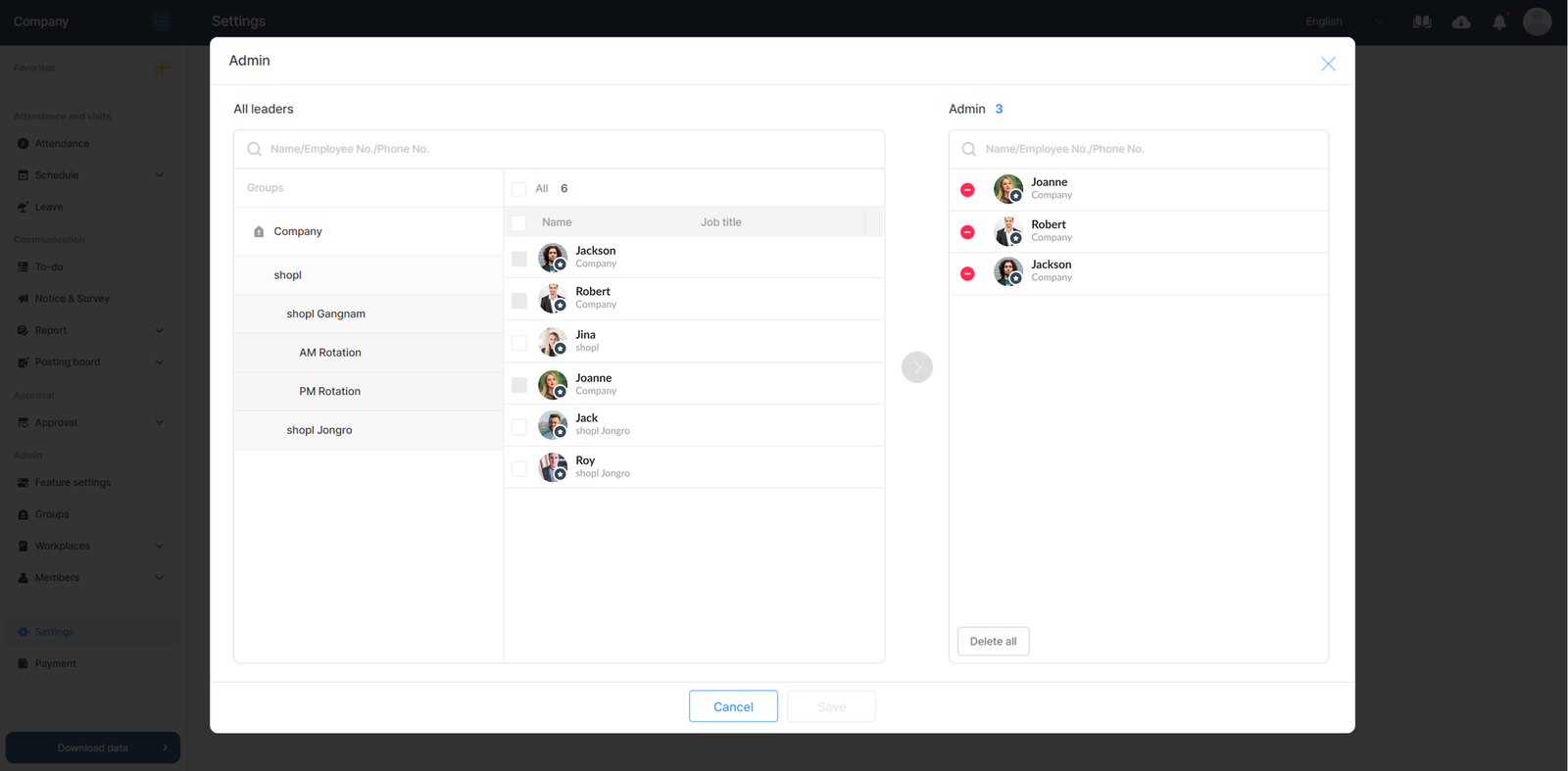
- Click [Add / Edit].
- Select a leader you wish to add as an admin and click [Save].
- Leaders who no longer need the admin authority can be removed by selecting them from the list and [Delete], or from the [Add / Edit] screen.
Want to know more about leaders and authority? For more details, check Understanding Members(Admin · Leader · Employee) page.
2. Add · edit admins from Manage members
- Dashboard > Members > Manage members
- Select [Settings] tab > Admin.
- You can add · edit admins by following the same steps as above.